Guide
How to share a baby log with your partner (free)
Yes. In Cami each caregiver has their own account in one shared family, and every entry appears on everyone's phone about a second after it's saved.

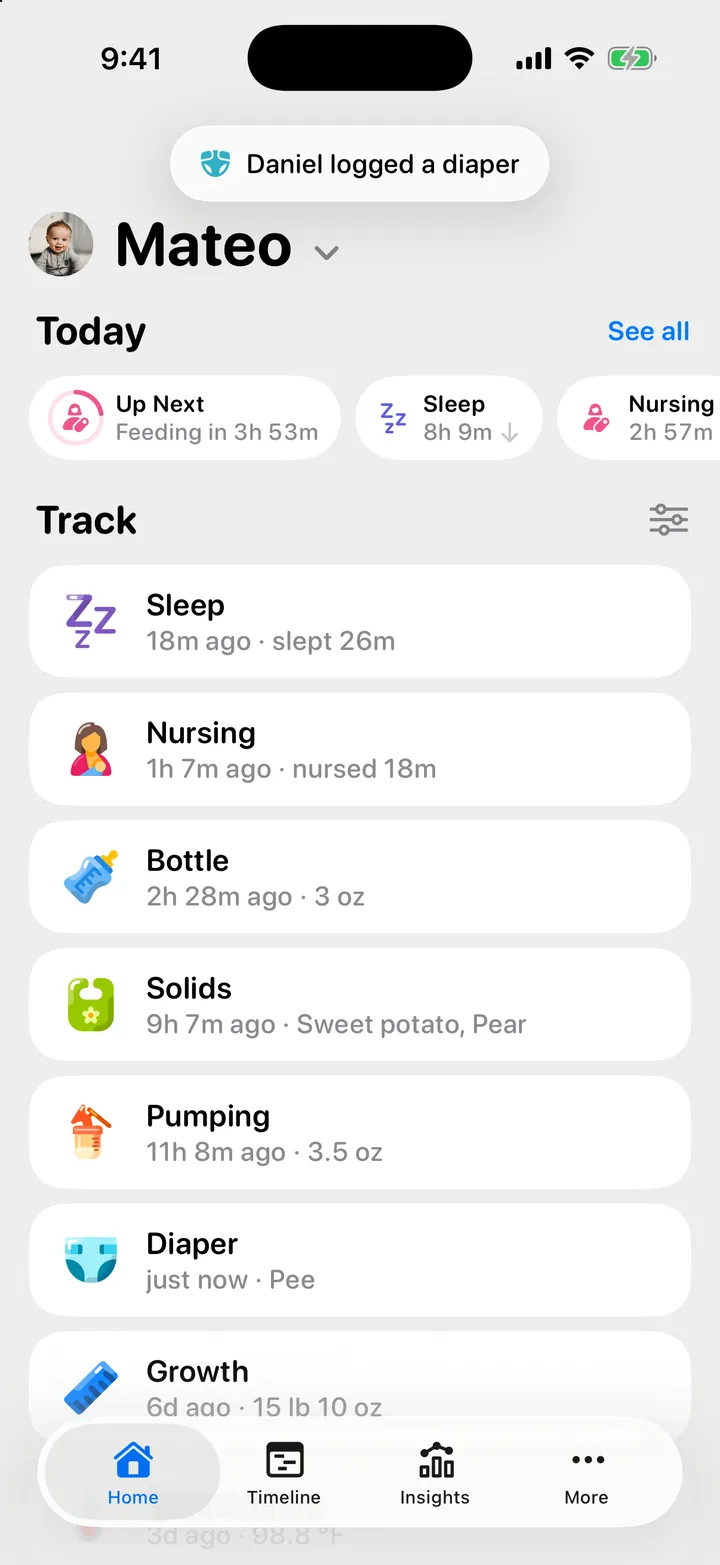
Cami: Baby Tracker is built around the family, not around one login. You invite your partner, a grandparent or a nanny into your family, and each of them signs in on their own phone with their own account.
Why one shared log
Two people caring for a baby ask each other the same questions all day: when did she last eat, which side, how long has he been asleep, did anyone change him. A shared log answers them without a text message or a wake-up. It also makes a handoff easier, whether that is the night shift, a grandparent’s afternoon or a nanny’s day.
It only works if everyone sees the same thing, right away, and knows who did what.
How it works in Cami
- One family, one log. Everything your family tracks lives in one place. Everything this family tracks is shared with everyone in it.
- An account for each person. Your partner signs in with Apple, Google or an email address. Nobody shares a password.
- Live on every phone. An entry saved on one phone appears on the others in about a second, with no refresh. When someone else logs, Cami shows a short notice at the top of Home, such as “Daniel logged a diaper”.
- Who logged it. Every entry shows its author under Logged by.
- Shared timers. A nap or a nursing timer that one of you starts runs on every phone in the family, and can show as a Live Activity on each Lock Screen.
- Works without signal. If a phone is offline, Cami saves the entry on the phone and sends it when the connection comes back.
- Everything so far. Someone who joins today sees the whole history already logged.
The common workaround: one login on two phones
Many baby trackers are built around one account. To share, parents sign in to that same account on both phones. Huckleberry, for example, says in its help center that the way to share with a partner is to log in with your account on their phone (How do I share my account with my husband/wife/partner or another caregiver?, checked 25 September 2026).
Sharing one login can work, but it has limits you feel later:
- Everyone knows the same password, and changing it signs everyone out.
- The log cannot say which of you logged an entry, because there is only one of you.
- Letting a nanny stop logging means changing the password for the whole family.
With an account for each person, each of those becomes simple: nobody shares a password, each entry names its author, and the family owner removes one person without touching anyone else.
Set it up in three steps
- Invite. Open More and tap Invite, the QR code button at the top. Tap Share Link to send the link in Messages or WhatsApp, or Share QR Code to show it to someone next to you.
- Join. Your partner installs Cami, creates an account, and taps the link or scans the code. If they started setup first, they choose I’m joining a family and type the code.
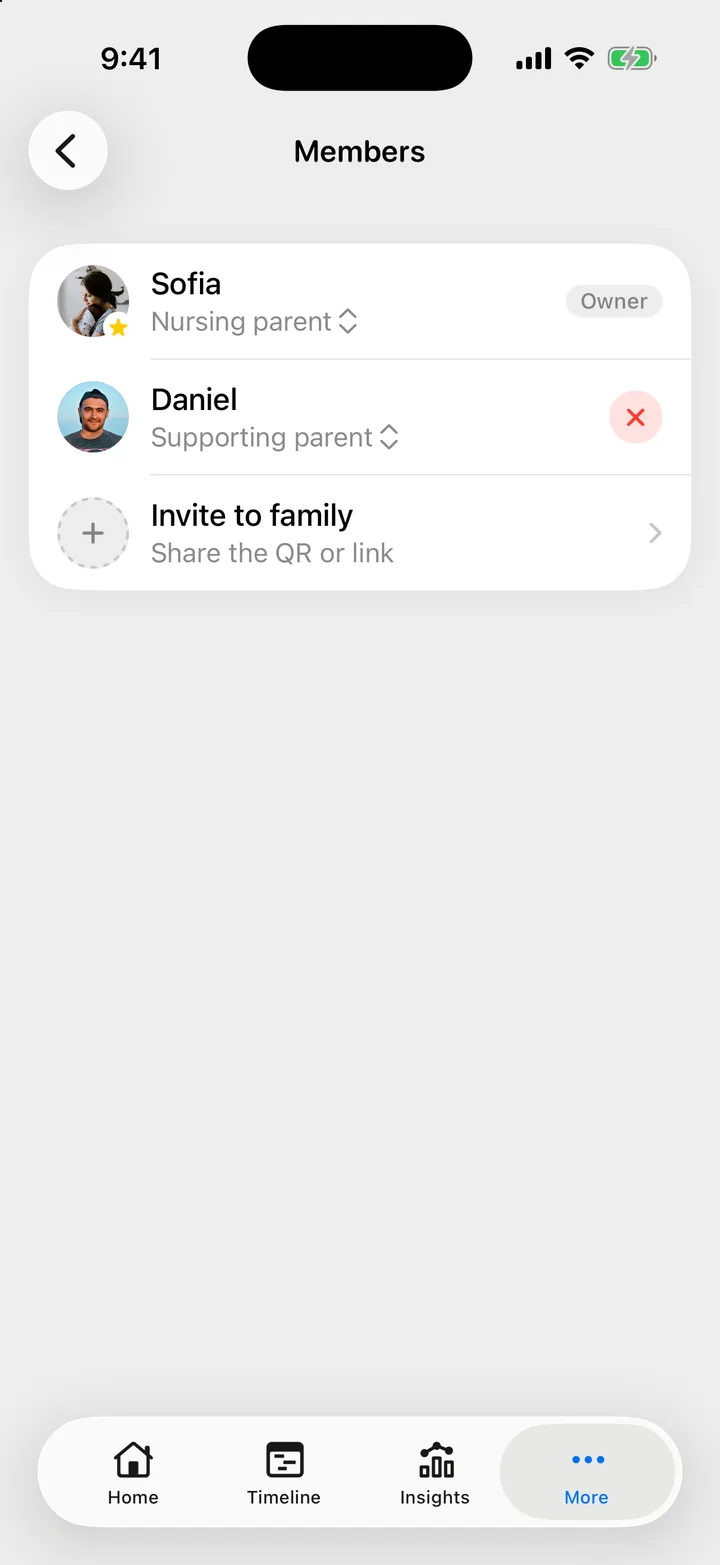
- Pick a role. In More, Members, each person can set their role: Nursing parent, Supporting parent or Caregiver.
In Cami 1.2: tap Share Invite on the invite screen.
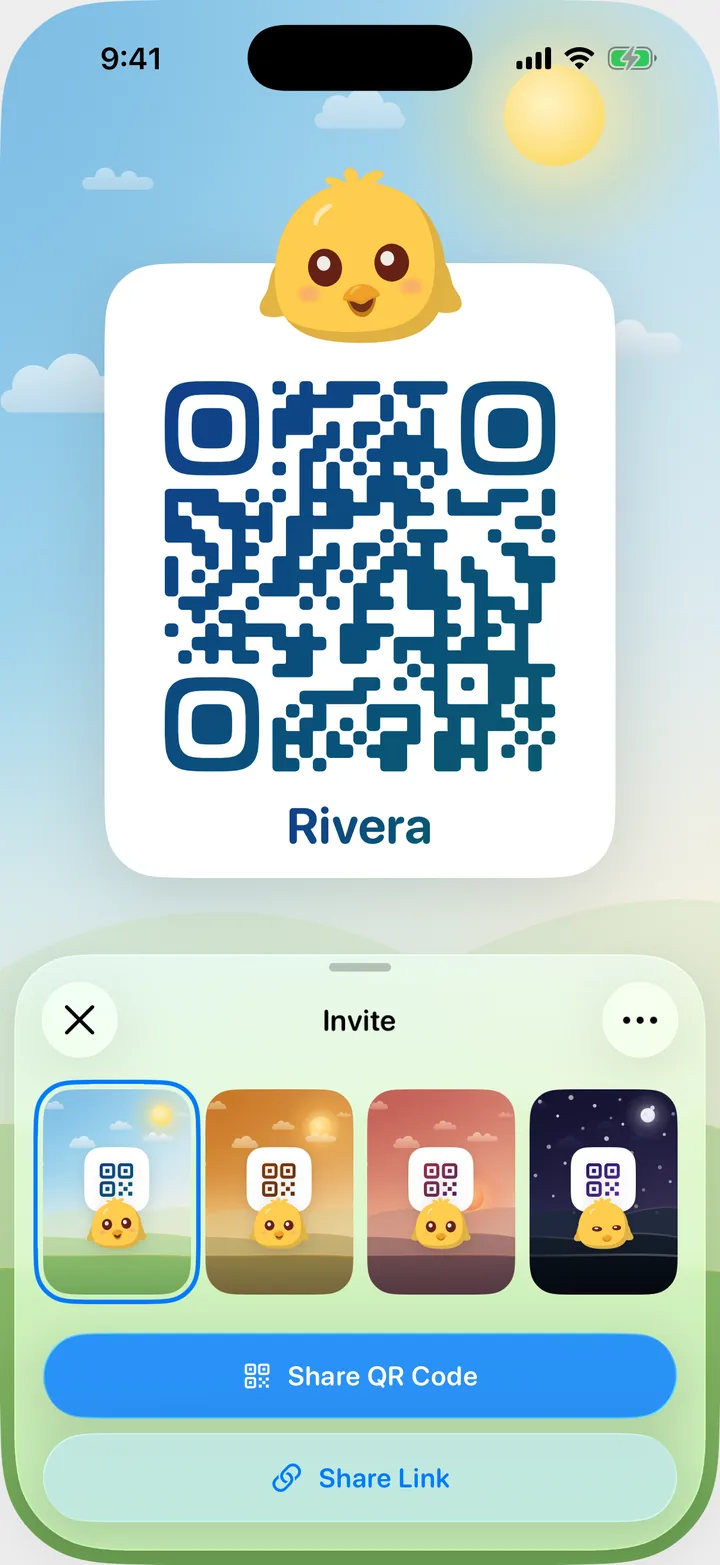
Step by step, with screenshots: Invite your partner, a grandparent or a nanny and Join a family.
Grandparents, nannies and everyone else
There is no limit on how many people can join a family. A few things to know before you invite more people:
- Roles are labels. A caregiver sees and logs the same things as a parent. There is no partial access, so invite the people you would hand the baby to.
- The owner decides who stays. The person who created the family is its owner. The owner can remove a member in More, Members, make a new invite link with New Invite Link…, which stops the old link and code at once, or Turn Off Invites. Ownership can be handed to someone else.
- One account, several families. A grandparent with grandchildren in two families can join both, and switch between them.
More: Members, roles and the owner.
Small habits that help
- Glance before you log. Your partner’s entry is already on your phone, so a quick look at Home avoids logging the same feed twice.
- Use the note. A line like “fussy after the bottle” reaches the other phone with the entry.
- Choose which Lock Screen cards you see. If you only want your own timers on your Lock Screen, turn on Only show my sessions in More, Settings, Live Activities.
Questions
Is it free?
Yes. Cami is free on the App Store, and inviting people costs nothing.
Does my partner need an iPhone?
Yes. Cami is an iPhone app for iOS 26 or later.
Can my partner see what I logged before they joined?
Yes. Everything already logged is there as soon as they join.
What if one of us has no signal?
Keep logging. The entry is saved on that phone and reaches the others when it reconnects. See Sync and offline.
Who can see our baby’s log?
Only the people in your family. See Who can see your family’s log.
Start your family’s log
Cami: Baby Tracker is free on the App Store for iPhone. Download Cami on the App Store, then send your partner the invite.
Step by step
- Invite your partner, a grandparent or a nannyOpen More, tap Invite, and send the link or let them scan the QR code. They join your family and see everything you have logged.
- Join your family on CamiScan the family's QR code, open their invite link, or type the six-character code. You see everything they logged, from the very first entry.
- Members, roles and the family ownerEveryone in the family sees and logs everything. A role only changes how nursing reads. The owner alone can remove people or delete the family.
- How syncing works, and using Cami offlineWhat anyone logs reaches every phone in the family as it happens. Offline, Cami keeps entries on your iPhone and sends them once you're back online.
- Who can see your family's logEveryone in your family sees everything your family logs. No one else sees it in the app, and Cami has no ads and no tracking software.
Cami: Baby Tracker is free on the App Store for iPhone.
Get Cami
Still need help?
Write to us and a person reads it, usually within a day. From the app, Send Feedback attaches the details that help us fix it.
In Cami: More › Settings › Send Feedback