
How syncing works, and using Cami offline
What anyone logs reaches every phone in the family as it happens. Offline, Cami keeps entries on your iPhone and sends them once you're back online.
On this page
You never need to press a sync button.
What syncs
The family shares one log. Every entry, edit and deletion goes to everyone in the family, for every child. A running timer does too: your partner sees the sleep you started, and can stop it from their phone.
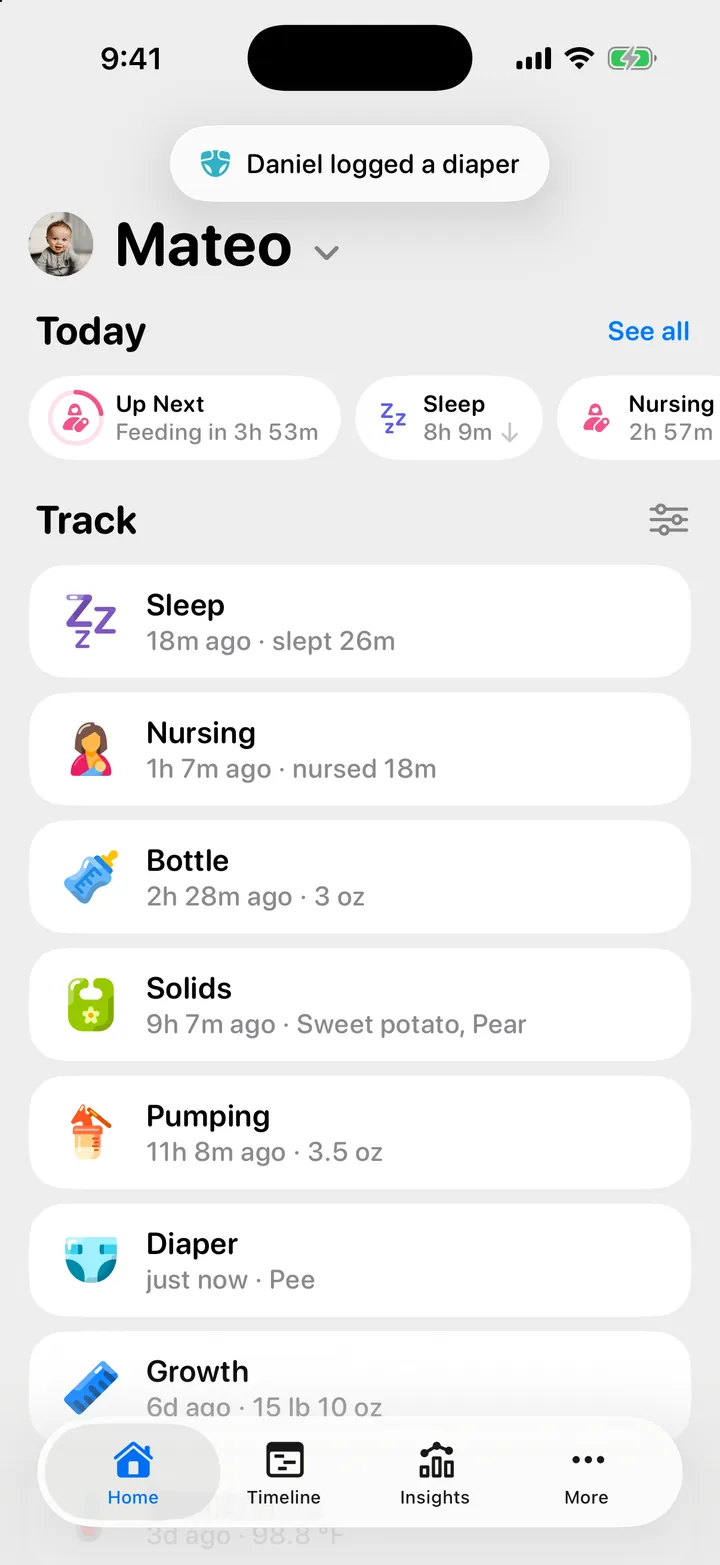
When someone else logs something while you have Cami open, a short note appears at the top of the screen, for example Daniel logged a diaper.
Logging with no connection
Log as usual. Cami saves the entry on your iPhone right away, and you see it on your own screens at once. When your iPhone is back online and Cami is open, Cami sends everything that waited.
If the connection keeps failing for a while, you may see Sync issue — retrying. Cami keeps trying on its own. Nothing is lost.
While you are offline, you don’t see what others log. It arrives when you reconnect.
When two people change the same entry
The most recent change wins. If your partner changes a timer while you have it open, Cami says The session changed on another device. Check the latest times and try again. Check the times and save again if you need to.
Messages you might see
| Message | What it means |
|---|---|
| Sync issue — retrying | The connection failed for a moment. Cami tries again on its own. |
| “Couldn’t sync — kept on this iPhone” | Cami could not send one entry. It stays on this iPhone, but the family does not see it. |
| Not synced in More, Settings | How many entries stay on this iPhone only. The row shows only when there are some. |
| Syncing entries — 12 of 340 | A big batch, for example after an import, is on its way. |
| This version can’t talk to the server any more. Install the latest one to keep logging. | Update Cami in the App Store. |
If an entry stays on this iPhone only, check that the iPhone’s date and time are set automatically, then tell us from More, Settings, Send Feedback so we can look.
If your partner doesn’t see an entry

Still need help?
Write to us and a person reads it, usually within a day. From the app, Send Feedback attaches the details that help us fix it.
In Cami: More › Settings › Send Feedback