
Use Siri, Shortcuts and the Action button
Say a phrase that ends with "in Cami", like "Start nursing in Cami". Every Cami action is also in the Shortcuts app, ready for the Action button.
On this page
Siri starts or stops the timer, or logs the entry, without opening the app. The phrases work without any setup.
Phrases that work
| Say | What happens |
|---|---|
| “Start nursing in Cami” | Starts a nursing timer. Siri names the side it starts on. |
| “Start nursing left in Cami” / “Start nursing right in Cami” | Starts nursing on that side. |
| “Stop nursing in Cami” | Pauses the timer and shows a summary. Tap Save, or Keep Paused to go on later. |
| “Which breast in Cami” | Tells you the last breast used. |
| “Start sleep in Cami” / “Start a nap in Cami” | Starts a sleep timer. |
| “Stop sleep in Cami” / “End the nap in Cami” | Pauses the sleep and asks you to save it. |
| “Start pumping in Cami” / “Stop pumping in Cami” | Starts or stops a pumping timer. |
| “Log a bottle in Cami” | Logs a bottle. Say “Log a formula bottle” or “Log a breast milk bottle” to name what is in it. |
| “Log a diaper in Cami” | Logs a diaper. Say “Log a pee diaper”, “Log a poo diaper” or “Log a mixed diaper” to name the kind. |
“Start” also resumes a paused timer.
To log for a child who is not the one open in Cami, add their name: “Start a nap for Mateo in Cami”, “Log a diaper for Lucía in Cami”. Without a name, Siri logs for the child you last had open in Cami.
A list of phrases is also in More, Settings, Siri & Shortcuts.
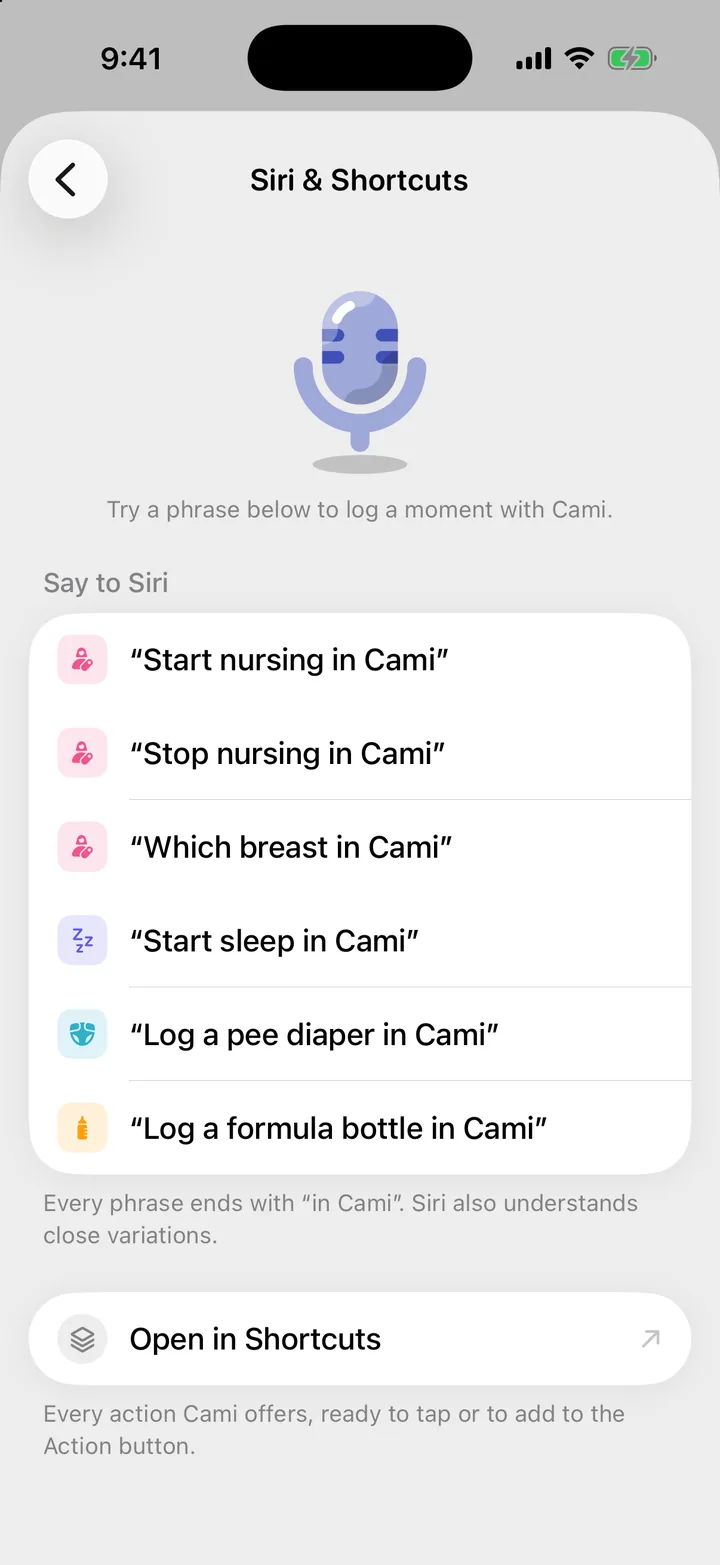
More actions in the Shortcuts app
The Shortcuts app has every action Cami offers, including some with no phrase, such as Log Medicine, Log Solids, Log Temperature, Get Last Feed and Get Today Summary. Use them in your own shortcuts and automations.
To see them, open More, Settings, Siri & Shortcuts and tap Open in Shortcuts.
Put a Cami action on the Action button
On an iPhone with the Action button:
- Open the iOS Settings app and tap Action Button.
- Swipe to Shortcut.
- Choose a Cami action, for example Start Nursing or Start Sleep.
You can also put a Cami control there, like the Sleep control. See Widgets and controls.
Troubleshooting
Siri says to unlock my iPhone first
Some actions need to read Cami’s data, which iOS keeps locked while the iPhone is locked. Unlock, then say the phrase again.
Siri says to open Cami and sign in, or to add a baby
Siri uses the account and children in Cami on this iPhone. Open Cami, sign in, and make sure your child is set up.
Siri says a timer is already running
Cami runs one timer of each kind per child. Stop the running one first, or give a time for the entry you are logging.
Siri asks which one, or does something else
Say the phrase exactly as in the table, with “in Cami” at the end.

Still need help?
Write to us and a person reads it, usually within a day. From the app, Send Feedback attaches the details that help us fix it.
In Cami: More › Settings › Send Feedback