
Timers on the Lock Screen and in the Dynamic Island
When anyone in the family starts a timer, it shows on your Lock Screen and in the Dynamic Island. Choose which in More › Settings › Live Activities.
On this page
It works for sleep, nursing, pumping, bottle and contraction timers. There is nothing to set up: the card starts with the timer and goes away when the timer ends.
What the card shows
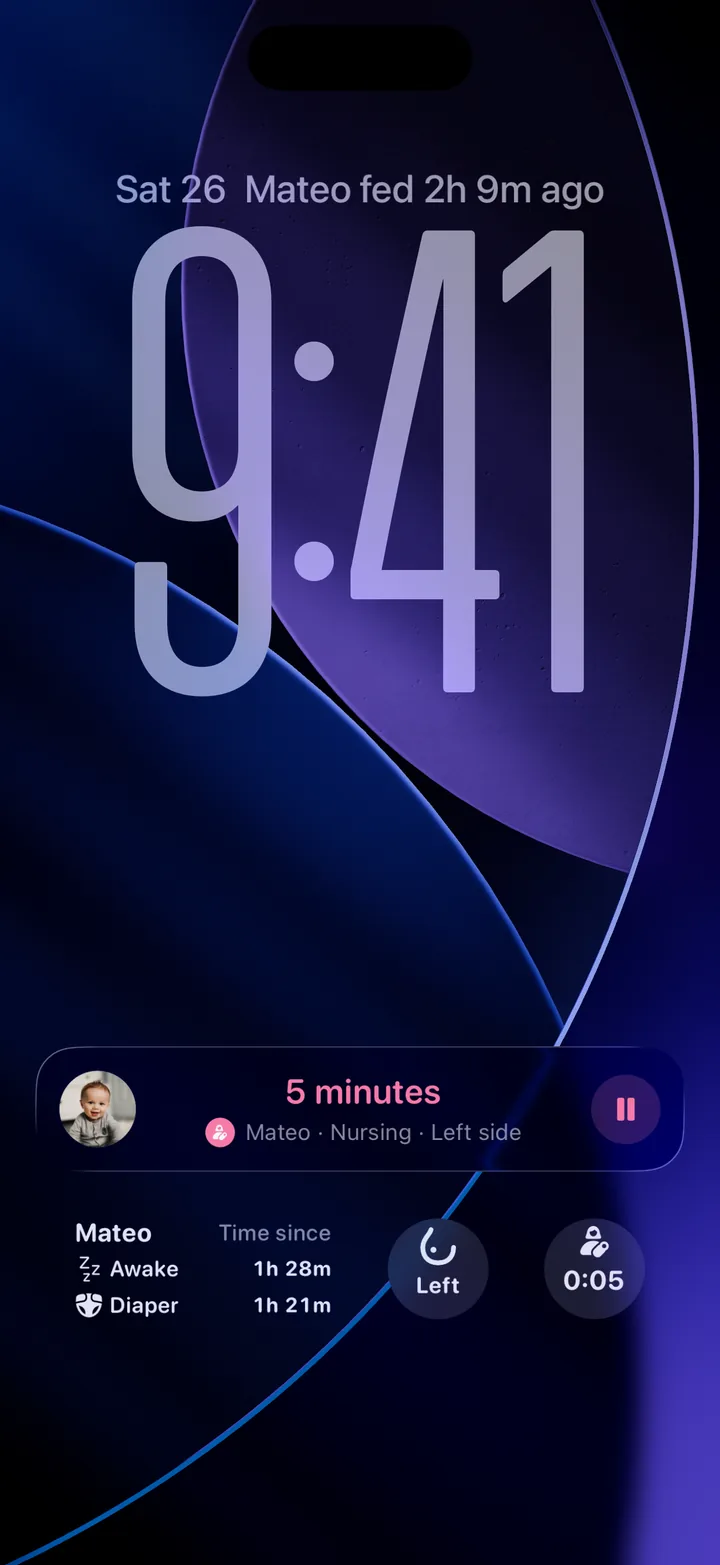
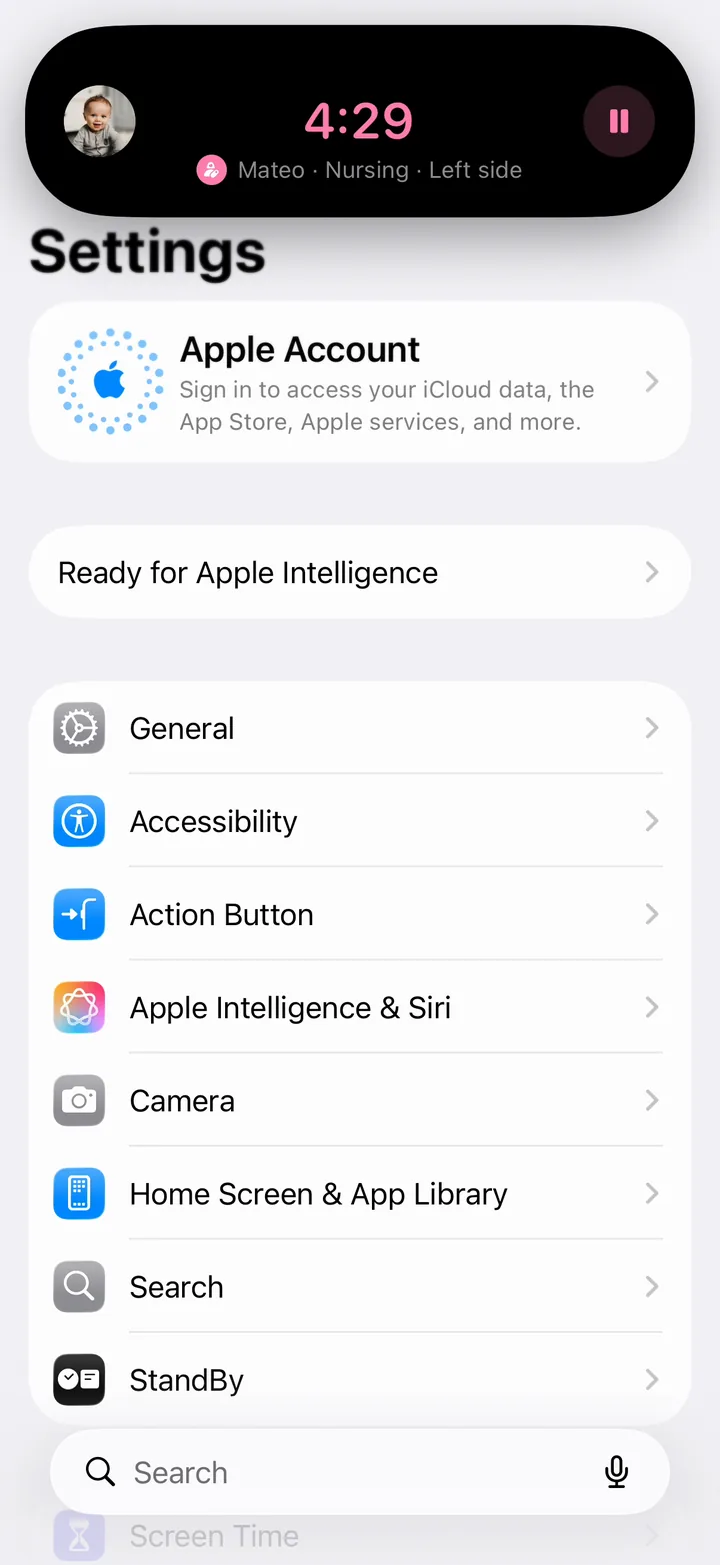
- The time running, the child and the kind of timer. A nursing card also shows the side.
- A button to pause or resume the timer. On a contraction card, the button starts and stops a contraction.
- Tap the card to open that timer in Cami. To end and save the timer, do it there.
On iPhones with the Dynamic Island, the timer also shows at the top of the screen while you use other apps. Touch and hold it to see the full card.
Timers are shared. A sleep your partner starts shows on your Lock Screen too, and you can pause it from there.
Choose which timers show
Open More, Settings, Live Activities.
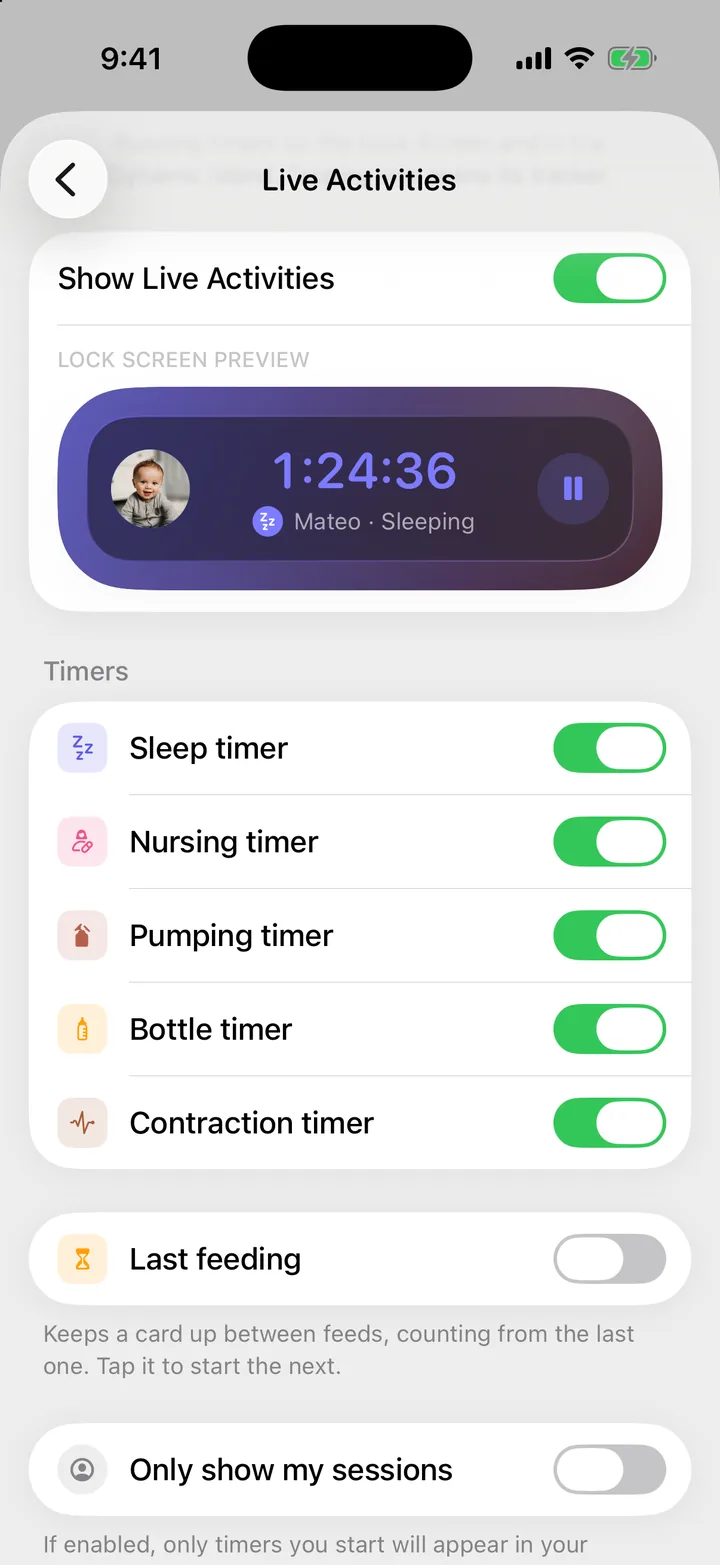
- Show Live Activities turns every Cami card on or off.
- Under Timers, turn each kind on or off: Sleep timer, Nursing timer, Pumping timer, Bottle timer and Contraction timer. All are on at first.
- Last feeding keeps a card up between feeds, counting from the start of the last one. Tap it to start the next. It is off at first.
- Only show my sessions shows only the timers you start. It is off at first, so you see everyone’s.
These settings are for your iPhone only. Your partner chooses their own.
Turn off one child’s timers
With two or more children, you can hide one child’s cards on this iPhone. Open More, Children, the child and turn off Live Activities.
If a card doesn’t show

Still need help?
Write to us and a person reads it, usually within a day. From the app, Send Feedback attaches the details that help us fix it.
In Cami: More › Settings › Send Feedback