Track twins and siblings, and switch between children
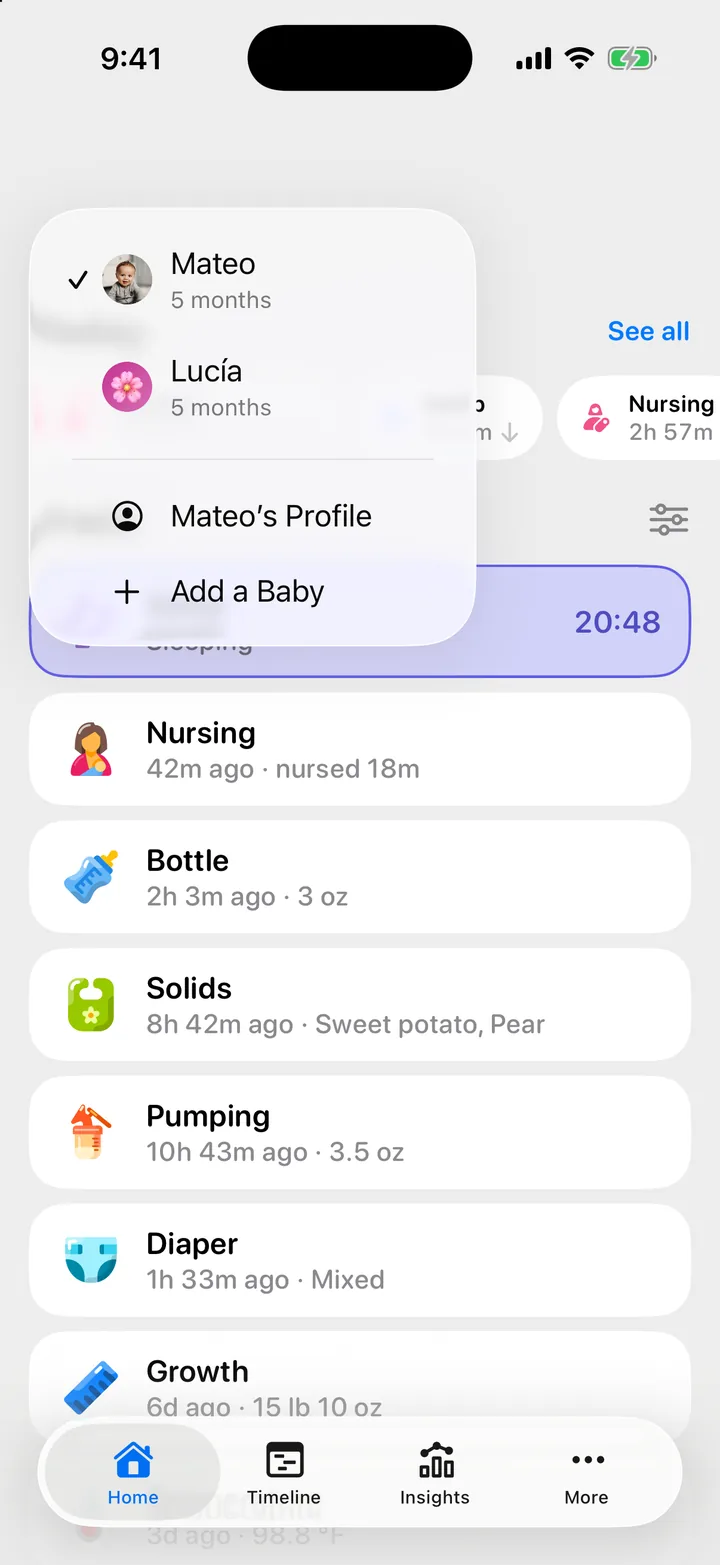
Add each child to the same family, then switch with the menu under the child's name at the top of Home, or pull down on Home to switch.

On this page
Twins, triplets, or a brother or sister later on all live in one family, so everyone in it sees every child.
Add a child
- On Home, tap your child’s name at the top.
- Tap Add a Baby.
- Enter the name and the birth date or due date, then save.
You can also add a child in More, Children, New Child.
If you are setting up twins for the first time, set up one child first. Each of the others takes about a minute.
Switch between children
Tap the child’s name at the top of Home and pick another child. On the other tabs, tap the child’s face in the top-left corner. Every tab then shows that child: Home, Timeline, Insights and More.
You can also open More, Children, tap a child and tap the switch button, for example Switch to Lucía.
Pull to switch
At the top of Home, pull down until the mark fills, then let go. Cami switches to the other child. This works when you have two or more children.
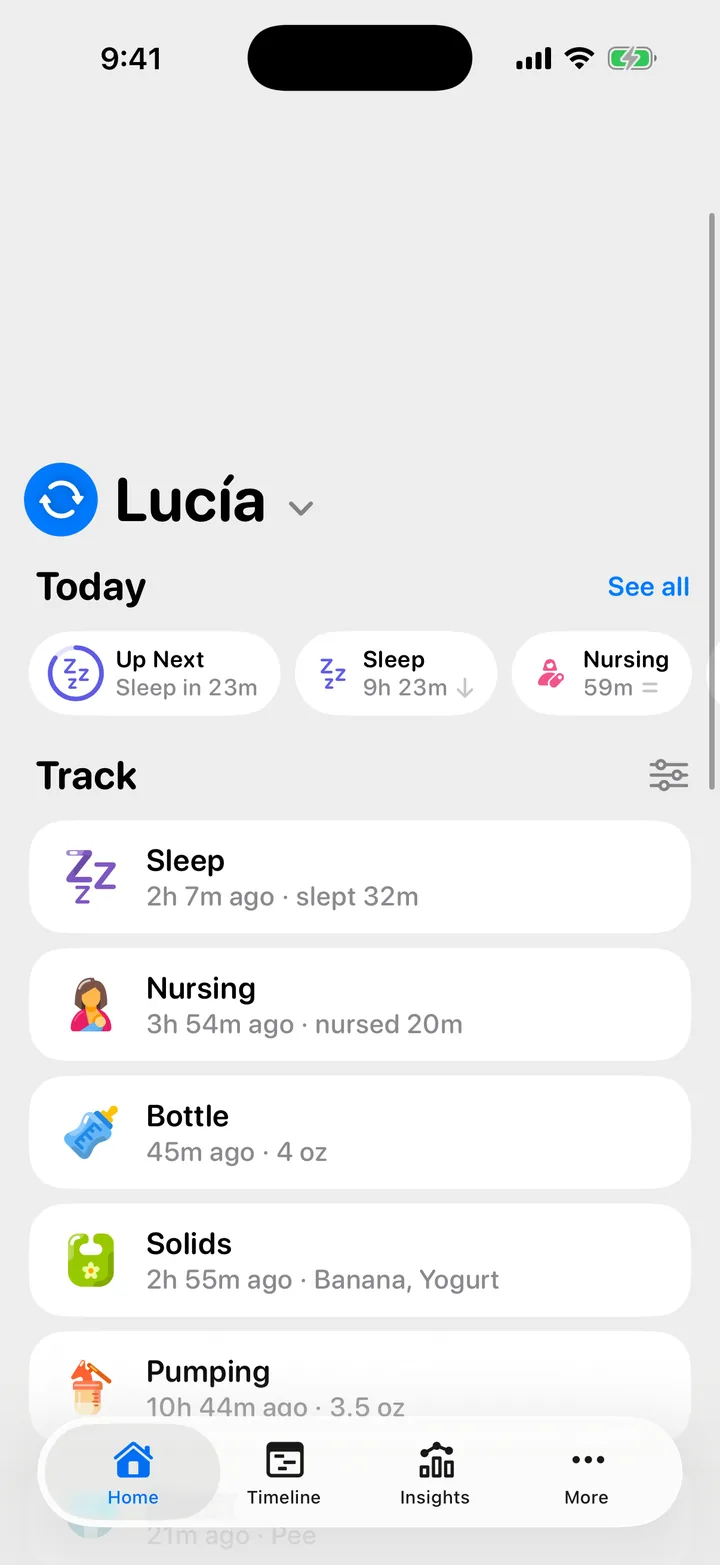
In Cami 1.2, the pull always goes to the child you opened before this one.
Logging for twins
- Each entry belongs to one child. Switch to the other twin and log their feed or diaper separately.
- Pumping belongs to the family, not to one child, so a pumping session shows under every child.
- Siri can log for a named child: “Start a nap for Mateo in Cami”. See Use Siri and Shortcuts.
Per-child settings on your iPhone
- Widgets: each widget follows one child. Edit the widget and choose the baby in its options. See Widgets and controls.
- Live Activities: to stop one child’s timers from showing on your Lock Screen, open More, Children, the child and turn off Live Activities. Your partner’s iPhone is not affected.
Children in more than one family
If you are in two families, for example as a grandparent of two cousins, the menu at the top of Home lists each family with its children. Pick any child to switch to that family.

Still need help?
Write to us and a person reads it, usually within a day. From the app, Send Feedback attaches the details that help us fix it.
In Cami: More › Settings › Send Feedback