Guide
Huckleberry alternative: Cami vs Huckleberry
Cami is a free iPhone baby tracker. Each caregiver has their own account on one live log, and Cami imports your Huckleberry history. In Spanish too.

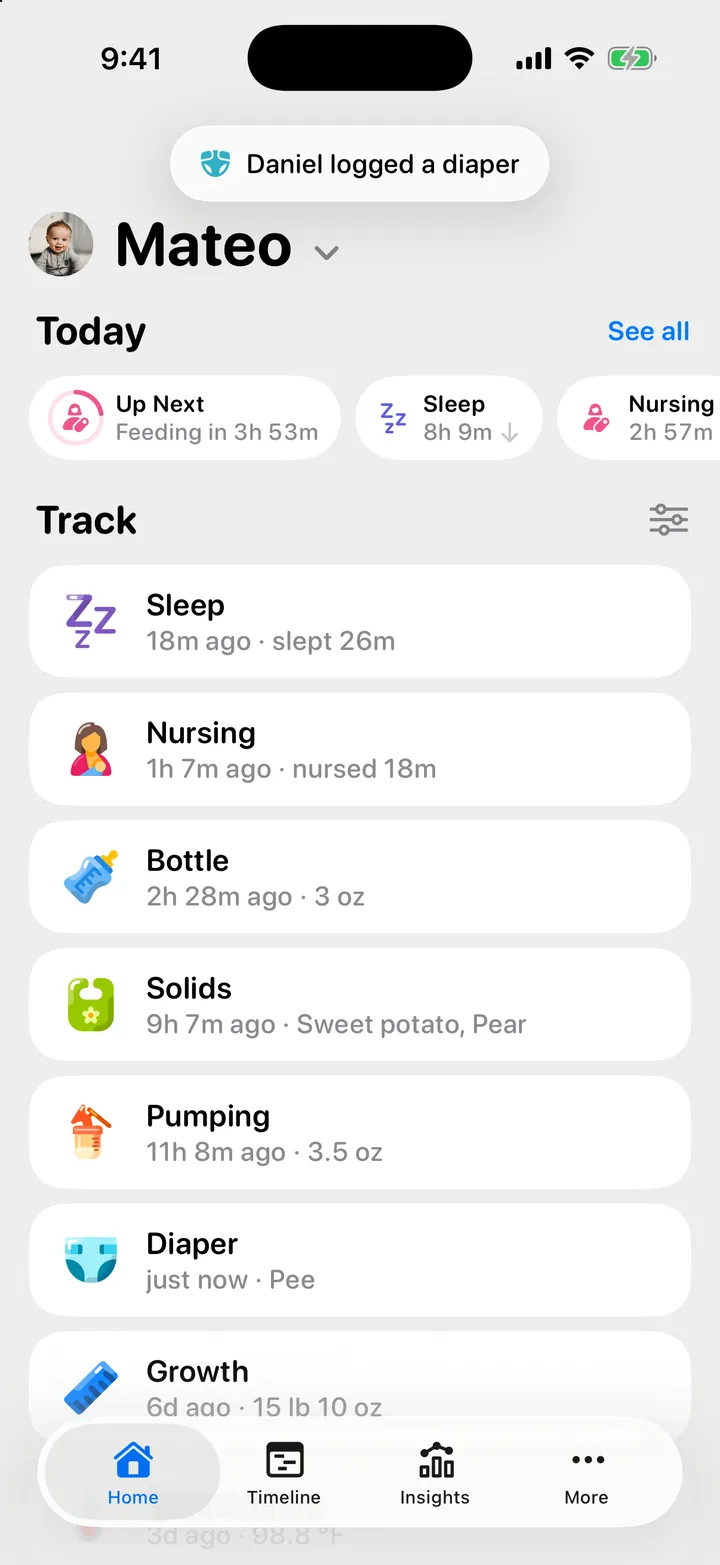
This page puts Cami: Baby Tracker and Huckleberry side by side, with facts you can check. Everything about Huckleberry comes from its own help center, pricing page and App Store listing, as of September 2026, and each fact links to its source. We also list what Huckleberry offers that Cami does not.
The short version
- Everyone gets their own account. Your partner, a grandparent or a nanny joins your family with an invite link or a QR code and logs on their own phone. Each entry shows who logged it, and it reaches the other phones in about a second.
- Your Huckleberry history comes with you. Cami reads the CSV file that Huckleberry exports: sleep, feeds, diapers, pumping and solids.
- English and Spanish. The whole app is in English and Latin American Spanish, Siri phrases included. More languages are on the way.
- No paid tier. Cami is free during early launch. Lock Screen timers, widgets and Siri are part of the app for everyone. When a paid plan comes, a generous free version stays.
Cami and Huckleberry side by side
The Huckleberry column was checked on 26 September 2026. Apps change, so follow each link for the current wording.
| Cami | Huckleberry, as of September 2026 | |
|---|---|---|
| Partner sharing | Each person has their own account in one shared family. They join with an invite link or a QR code, and no one shares a password. | The help center says the way to share is to log in with your account on your partner’s phone (Huckleberry help). The pricing page says caregivers sign in to the same account on each phone (pricing). |
| Import | Imports Huckleberry’s CSV export, and Nara Baby’s. | Its help center says it does not support importing data into the app (Huckleberry help). |
| Export | Any family member can export a child’s log as a CSV file, once every 24 hours per child. | Emails a CSV file per child. The download link works for 24 hours (Huckleberry help). |
| Languages | English and Spanish (Latin America), Siri phrases included. More languages are on the way. | The help center says the app is only in English (Huckleberry help). |
| Price | Free during early launch. There is no paid plan today, and a generous free version stays when one comes (Founding Family). | A free app for tracking, and paid Plus and Premium memberships (pricing). New accounts get a 14-day Premium trial (Huckleberry help). |
| Lock Screen | Sleep, nursing, pumping, bottle and contraction timers show as Live Activities. A timer your partner starts shows on your Lock Screen too. | Live Activities for the sleep and nursing timers, SweetSpot® and the last feed, with Plus and Premium (Huckleberry help). |
| Widgets | Home Screen and Lock Screen widgets, and Control Center controls. | iOS widgets with Plus and Premium (Huckleberry help). |
| Siri | Ready-made phrases such as “Start nursing in Cami” or “Log a diaper in Cami”, in English and Spanish. | Logging with Siri with Plus or Premium, and during the 2 weeks of free access (Huckleberry help). |
| Twins | Each child has their own timers and their own Live Activity. Pull down at the top of Home to switch child. | Several child profiles in the free app. Switch from the child’s name at the top of the home screen (Huckleberry help). |
| Devices | iPhone with iOS 26 or later. | iPhone and iPad with iOS 16 or later, Apple Watch and Android (Huckleberry help, App Store). |
| Privacy | No ads. The app contains no analytics, advertising or tracking software, and your data is never sold (privacy). | Its App Store privacy label lists Usage Data under “Data Used to Track You” (App Store). |
What Huckleberry offers that Cami does not
Cami records what happened and shows it back to your family. Huckleberry also coaches, and it runs on more devices. If one of these matters most to you, Huckleberry may be the better fit:
- Sleep predictions and schedules. SweetSpot® suggests nap and bed times, and Schedule Creator plans a day of naps. Both come with Plus (Huckleberry help). Cami does not suggest sleep times.
- Sleep plans and parenting guidance. Premium adds custom sleep plans from Huckleberry’s team and Berry, an AI chat for parenting questions (Huckleberry help). Cami gives no sleep or health guidance: for that, talk to your pediatrician.
- Reminders for feeds and medicine. Huckleberry lists them among its free features (App Store). Cami’s reminders are an alarm for the next pump and a growth reminder.
- More devices. Huckleberry has an Apple Watch app, and it runs on iPad, Android and iPhones from iOS 16. Cami is an iPhone app for iOS 26 or later.
- More things to track. Huckleberry also tracks milestones, potty training and activities such as tummy time and bath time (Huckleberry help). Cami tracks nursing, bottles, solids, sleep, diapers, pumping, growth, temperature, medicine, vaccines and contractions.
- Logging from a sentence. With Plus, AI logging lets you type or say something like a bottle and a diaper together, and Huckleberry logs both (Huckleberry help).
Switching takes a few minutes
You do not have to choose on day one. Cami only reads a file you export, so your Huckleberry account stays as it is while you try Cami.
- In Huckleberry, export your child’s data as a CSV file. Huckleberry emails you a link to it.
- In Cami, answer Yes, I’m coming from another app during setup and choose the file. Already set up? Open More, Data & Privacy, tap your child and import from there.
- Send your partner the invite from More.
Importing the same file twice adds nothing twice, so you can export and import again after a few days of using both apps.
Every step, with what comes across and what to set up after: Switching from Huckleberry, with your history. The import with screenshots: Import your Huckleberry history.
Questions people ask
Is Cami really free?
Yes. Cami is free during early launch, and there is no paid plan today. Later, Cami will have a generous free version and an optional paid plan. If features you use become paid, you’ll get notice and time to adjust, and your logs stay accessible. See Is Cami free?
Can my partner log from their own phone?
Yes, with their own account. They sign in with Apple, Google or an email address and join your family from your invite. See Invite your partner, a grandparent or a nanny.
Does Cami work for twins?
Yes. Each child has their own timers, so you can run a nap for one twin while you nurse the other. See Tracking twins.
Try Cami with your own history
Cami: Baby Tracker is free on the App Store for iPhone, in the United States and Mexico. Download Cami on the App Store, import your Huckleberry file and send your partner the invite.
Step by step
- Import your Huckleberry historyExport a CSV from Huckleberry, then in Cami open your child's data, tap Import Data › Import from Huckleberry and choose the file.
- Invite your partner, a grandparent or a nannyOpen More, tap Invite, and send the link or let them scan the QR code. They join your family and see everything you have logged.
- Timers on the Lock Screen and in the Dynamic IslandWhen anyone in the family starts a timer, it shows on your Lock Screen and in the Dynamic Island. Choose which in More › Settings › Live Activities.
- Track twins and siblings, and switch between childrenAdd each child to the same family, then switch with the menu under the child's name at the top of Home, or pull down on Home to switch.
- Is Cami free? Founding Family and referralsYes. Cami is free during early launch. Bring three new families to Cami and yours becomes a Founding Family: everything Cami ever makes, free forever.
Cami: Baby Tracker is free on the App Store for iPhone.
Get Cami
Still need help?
Write to us and a person reads it, usually within a day. From the app, Send Feedback attaches the details that help us fix it.
In Cami: More › Settings › Send Feedback