
Contact support, send feedback and vote on the roadmap
Email hello@camibaby.com, or open More › Settings › Send Feedback to report a bug, share an idea or ask a question from inside Cami.
Email us
Write to hello@camibaby.com. A person reads it and a person answers.
From the app, open More, Settings, Contact Us. It opens Mail with the address filled in.
In Cami 1.2 there is no Contact Us row. Write to the address above.
Send feedback from the app
- Open More, Settings, Send Feedback.
- Choose Bug, Idea or Question.
- Say what happened or what you’d like. Tap Add screenshots to attach up to four.
- Choose whether to Include diagnostic logs, and whether it’s OK to follow up by email.
- Tap the paper plane to send.
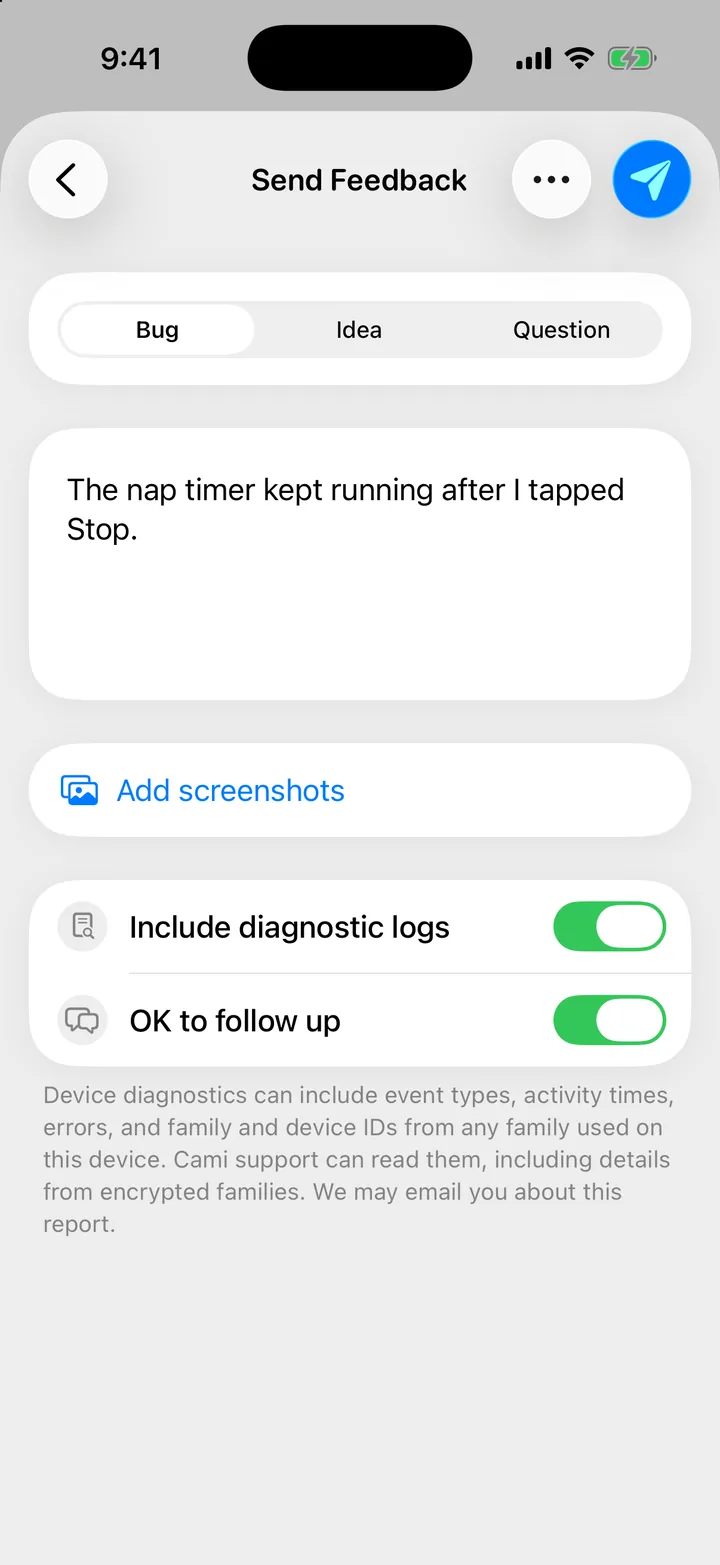
Diagnostic logs help with bugs. They can include event types, activity times, errors, and family and device IDs. Leave the switch off if you’d rather not send them.
If you leave a report half-written, Cami keeps it as a draft. The next time you open Send Feedback, your drafts are listed first; tap New Feedback to start another.
Shake to report
Shake your iPhone anywhere in Cami and it asks Report a bug?. Tap Report bug to open the form.
To turn it off, switch off Shake to report in that same sheet, or in the ⋯ menu of the Send Feedback form.
Vote on the roadmap
- Open More, Settings, Roadmap.
- Tap the heart on what matters to you. Tap it again to take your vote back.
- Don’t see your idea? Tap Suggest something.
Items are grouped as In development, Planned and Under consideration.
Other ways to help
- More, Settings, How’s Cami Doing? is a short survey.
- More, Settings, Leave a Review opens Cami’s page in the App Store.

Still need help?
Write to us and a person reads it, usually within a day. From the app, Send Feedback attaches the details that help us fix it.
In Cami: More › Settings › Send Feedback