Remove a member, leave or delete a family
The owner removes members in More › Members. Anyone can leave in More › More Options. Only the owner can delete the family, for everyone.

On this page
Remove a member (owner only)
- Open More, Members.
- Tap the red on the member’s row.
- Confirm. The button names the person, for example Remove Daniel.
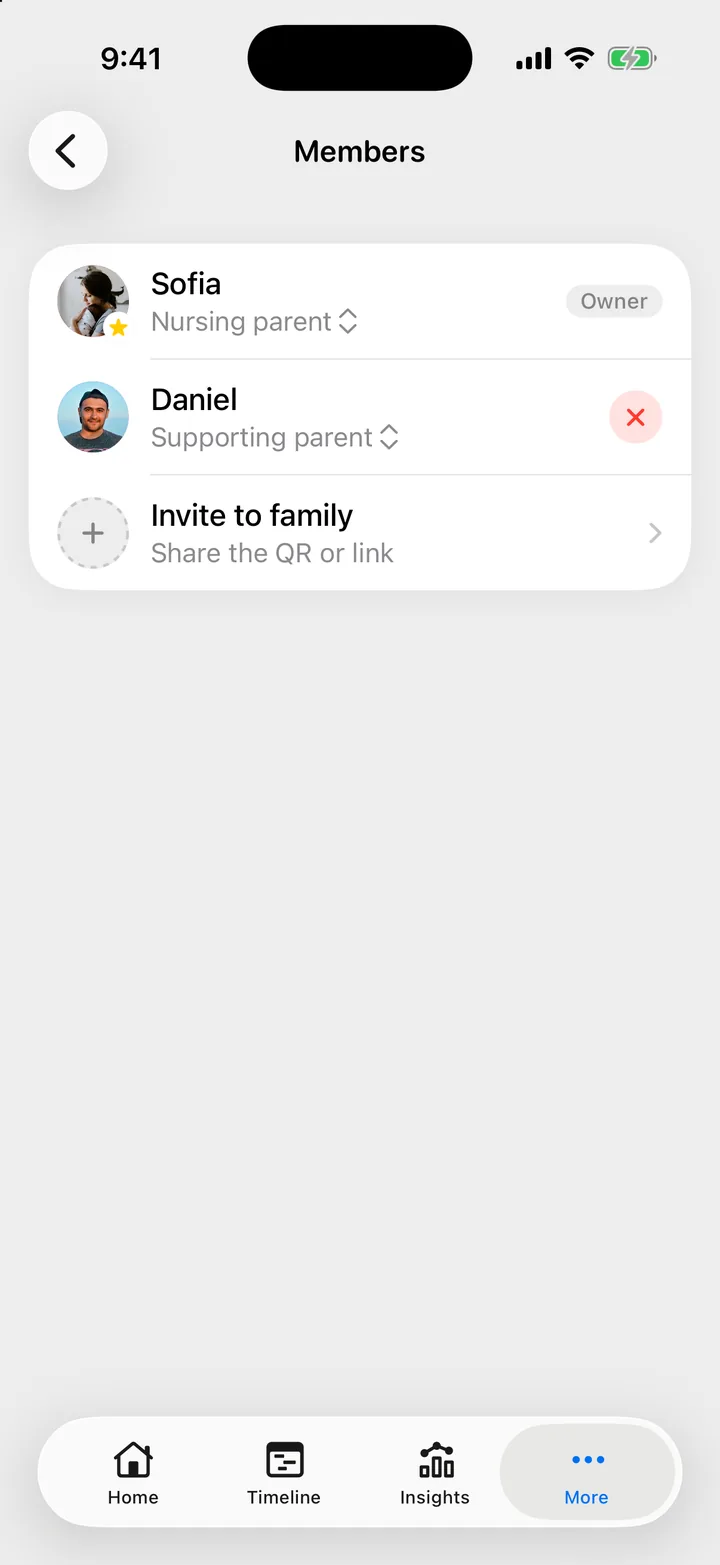
They lose access to the family’s children and history at once. They keep their Cami account and any other family they are in. The entries they logged stay in the family’s history.
If they should not come back with the old link, make a new one: open the invite, tap Invite options, then New Invite Link…. The old link and code stop working immediately.
Leave a family
- Open More, More Options.
- Tap Leave Family, then confirm.
You lose access to the family’s children and history. You can rejoin later with an invite code. Your account and your other families stay.
If you are the owner, hand the family to someone first. When you tap Leave Family, Cami asks you to Choose a New Owner…. Pick the member, then confirm. They become the owner and you leave in the same step.
If you are the only member, there is nobody to hand it to, so there is no Leave Family. Delete the family instead.
In Cami 1.2, More Options is called Manage Family.
Delete a family (owner only)
Deleting a family erases every child in it, every entry, every schedule and the invite code, for you and for everyone else in it. It cannot be undone.
- Open More, More Options.
- Tap Delete Family.
- Read what goes. Type the family’s name in the box.
- Press and hold the red button until it fills.
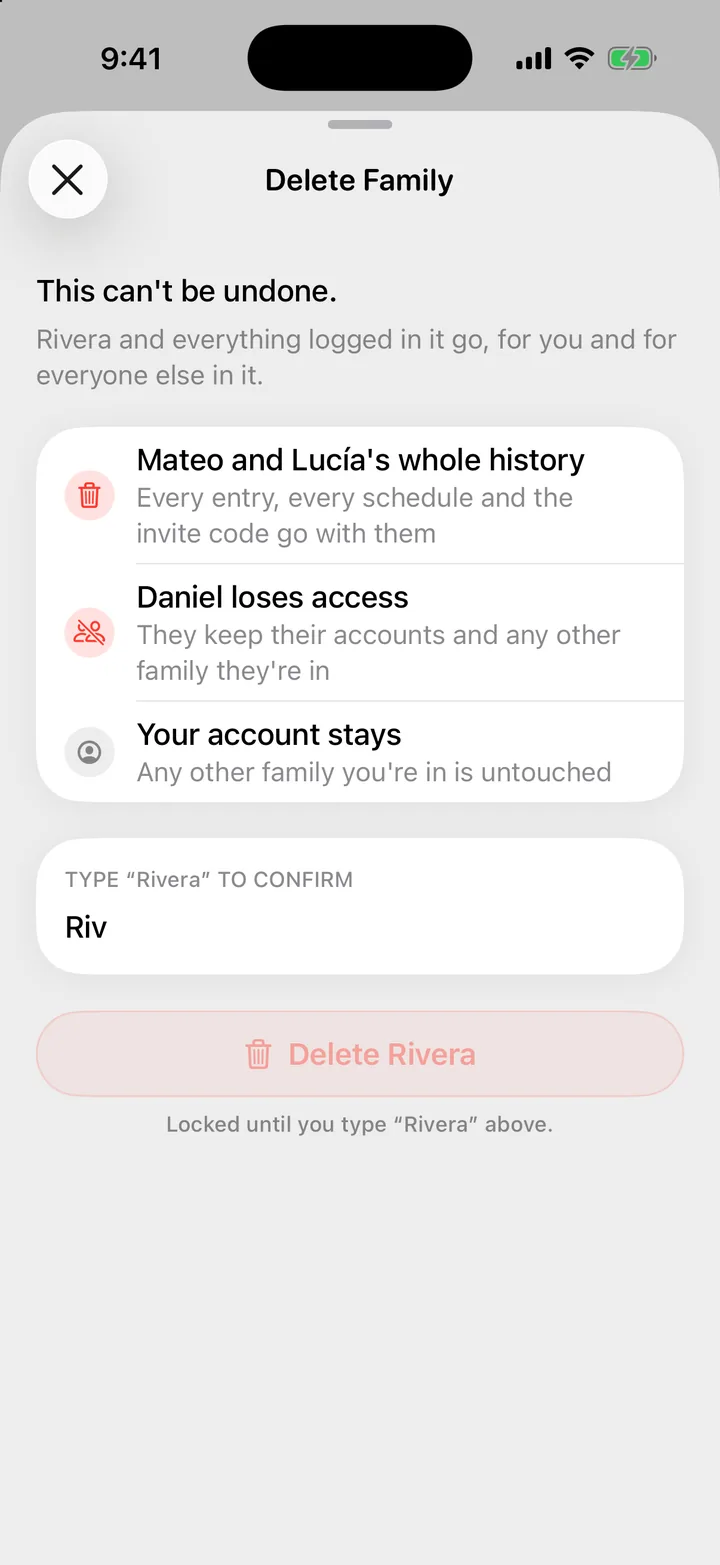
The other members keep their accounts and any other family they are in. Your account stays too.
What the other person sees
A removed member no longer sees the family’s children or history in Cami. To come back, they need a new invite from someone in the family.
I can't see Remove, Transfer Ownership or Delete Family
These are for the family’s owner. The owner’s row in More, Members has the Owner tag. Ask them, or ask them to make you the owner.
It says nothing was deleted
The button needs a full press. Press and hold until it fills completely.

Still need help?
Write to us and a person reads it, usually within a day. From the app, Send Feedback attaches the details that help us fix it.
In Cami: More › Settings › Send Feedback