Log a bottle of breast milk or formula
Tap Bottle on Home, choose Breast milk or Formula, set the amount and tap Save Bottle. To time the feed instead, switch the form to the timer.

Log a bottle after it happened
- On Home, tap Bottle .
- Under Contents, tap Breast milk or Formula.
- Set the amount. Tap a preset, use the plus and minus buttons, or tap the number to type it.
- If the feed was earlier, tap Now next to When and pick the time.
- Tap Save Bottle.

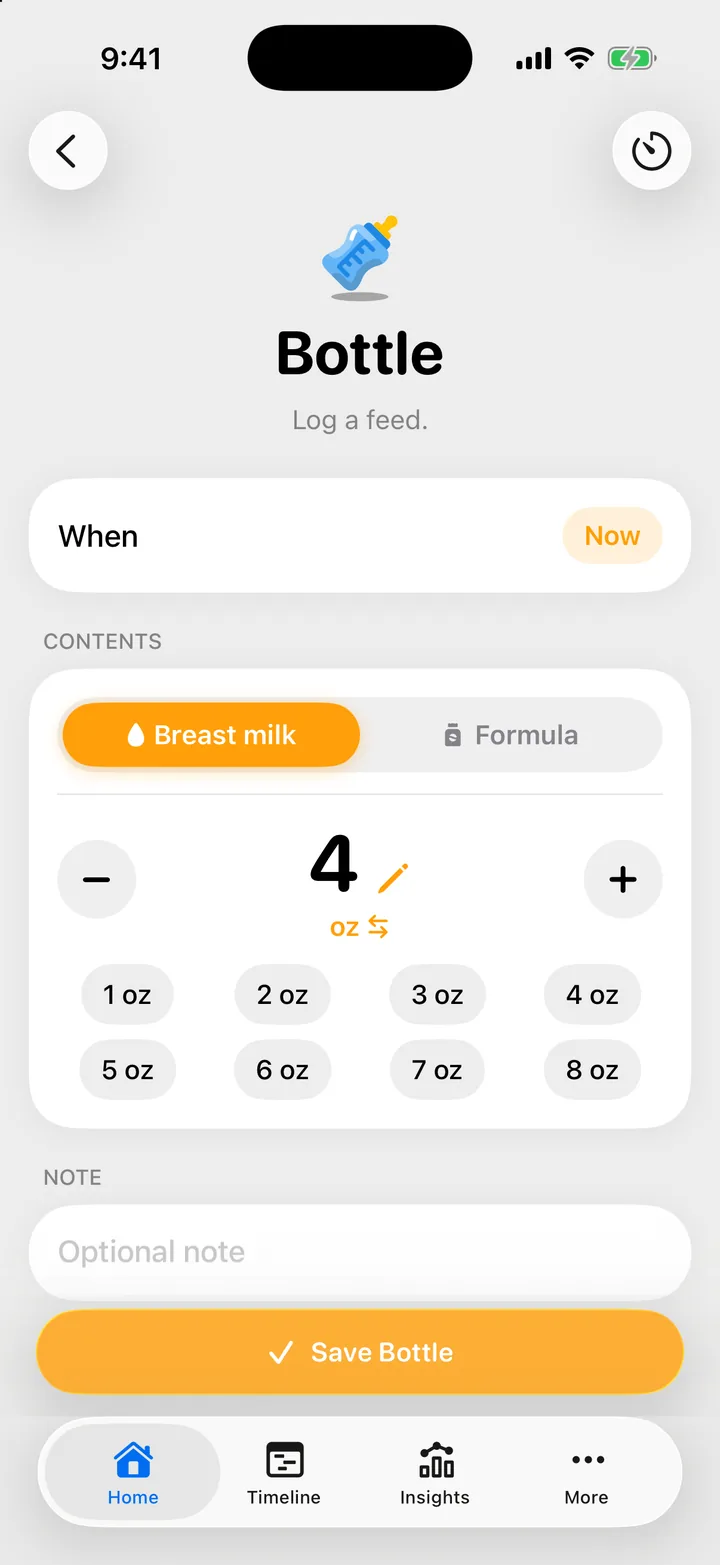
The form opens with the contents you chose last time, so a family that always uses formula taps less.
Time a bottle feed
- Open Home, Bottle and tap the timer button at the top right, or Switch to timer at the foot of the form.
- Tap Start Feeding. The amount stays under the timer, so you can set it now or later.
- When your child is done, tap Stop Feeding.
- Check the amount and the times, add a note if you want, and tap Save Bottle.
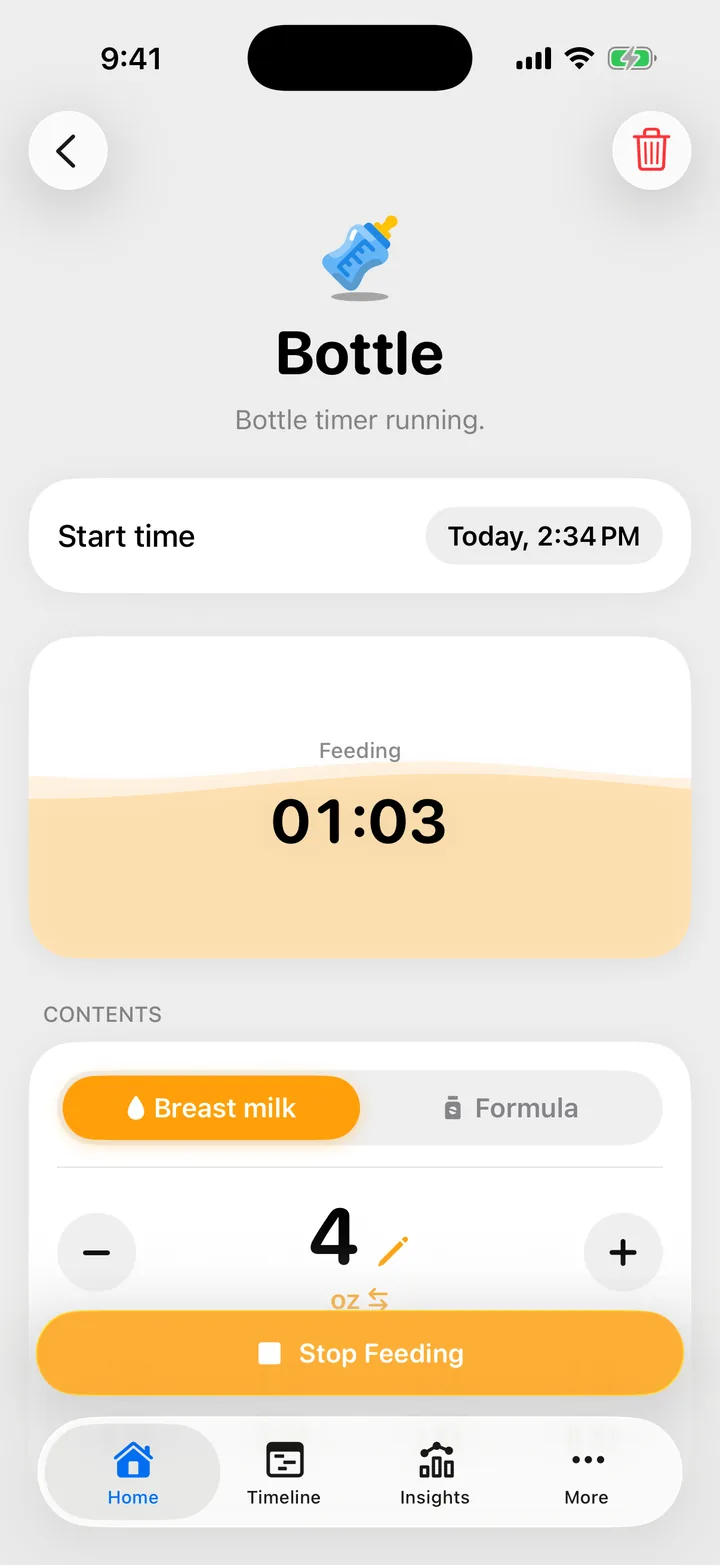
Cami remembers which way you logged last. Next time, the form opens on the timer or on manual entry to match.
A running bottle timer shows on Home, and everyone in your family sees it. Any of you can stop it and save it.
Milliliters or ounces
Tap the unit under the amount (ml or oz) to switch. The switch changes the unit on this iPhone everywhere in Cami. You can also set it in More, Settings, General, Volume unit.
In Cami 1.2: the unit is in More › Settings › Volume unit.
Cami stores every amount the same way, so your partner can use ounces while you use milliliters, and you both see the same bottle.
Troubleshooting
Cami asks me to end the sleep first
If a sleep is running when you tap Start Feeding, Cami asks End the sleep?. Tap End it and start to save the sleep and start the bottle, or Keep it running and start to keep both going.
I saved the bottle too early
Open the feed on the Timeline and tap Reopen. This works for a timed bottle for 15 minutes after you save it. See Edit, reopen or delete an entry.

Still need help?
Write to us and a person reads it, usually within a day. From the app, Send Feedback attaches the details that help us fix it.
In Cami: More › Settings › Send Feedback