Log a diaper change
Tap Diaper on Home, choose Pee, Poo, Mixed or Other, and tap Save. Tap Add details to note the size of each or add a note.

Log a change
- On Home, tap Diaper .
- If the change was earlier, tap Now next to When and pick the time.
- Under Reason, tap Pee, Poo, Mixed or Other.
- Tap Save.

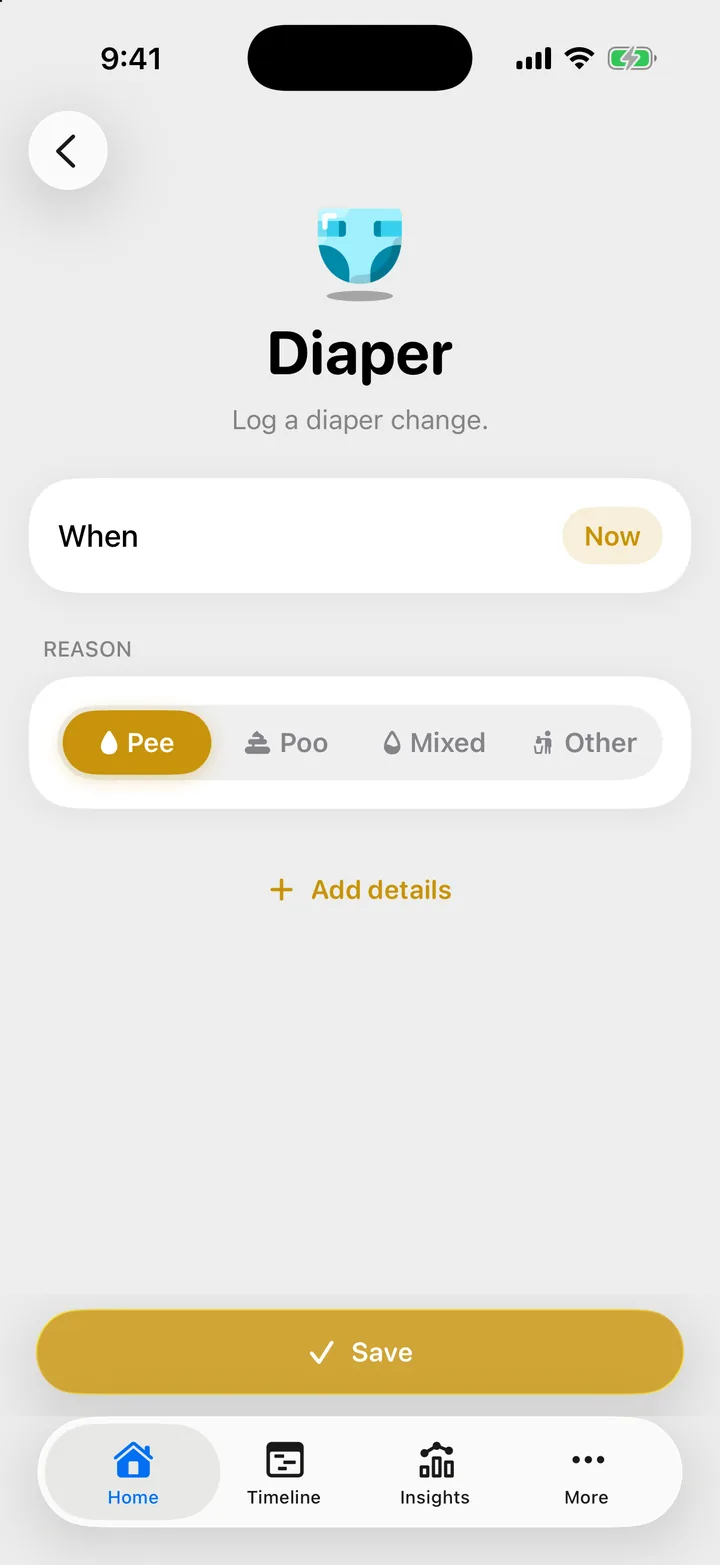
Cami opens the form on the choice you made last time.
Mixed is a diaper with both. Other is for a dry diaper or a change for another reason.
Add the size or a note
- On the form, tap Add details.
- Under Details, tap Small, Medium or Large for the pee, the poo or both. Tap a size again to clear it.
- Type a note if you want, then tap Save.
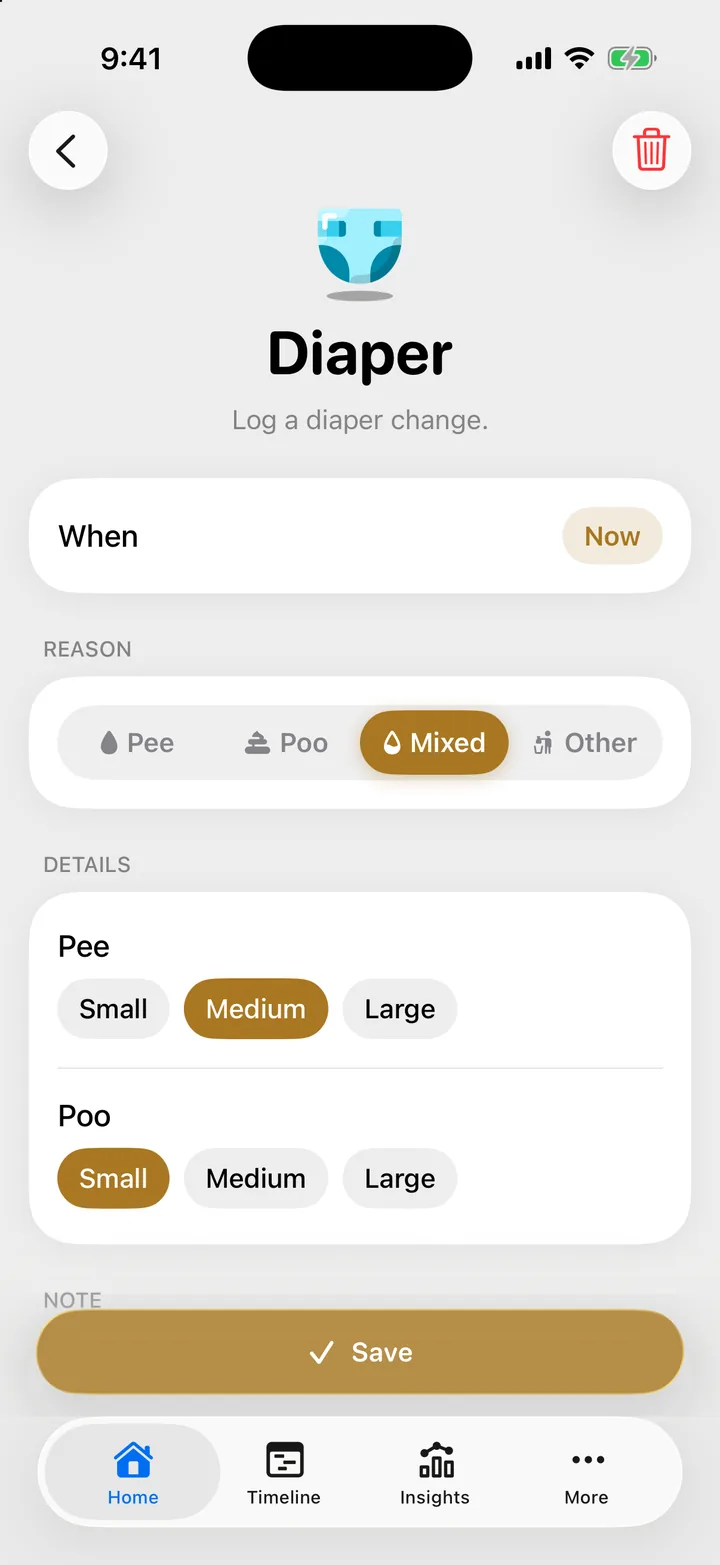
A Mixed diaper asks for both sizes. Other has no size, only the note.
Where the counts show
The Pees and Poops pills on Home count today’s diapers. A mixed diaper counts once in each. For past days, see Diapers in Insights.
Troubleshooting
I logged the wrong kind
Open the change on the Timeline, tap the ••• button, then Edit, and pick the right kind. See Edit, reopen or delete an entry.
Where do I record color or texture?
Cami has no field for color or texture. Write it in the note.

Still need help?
Write to us and a person reads it, usually within a day. From the app, Send Feedback attaches the details that help us fix it.
In Cami: More › Settings › Send Feedback