Time a nursing session, one side at a time
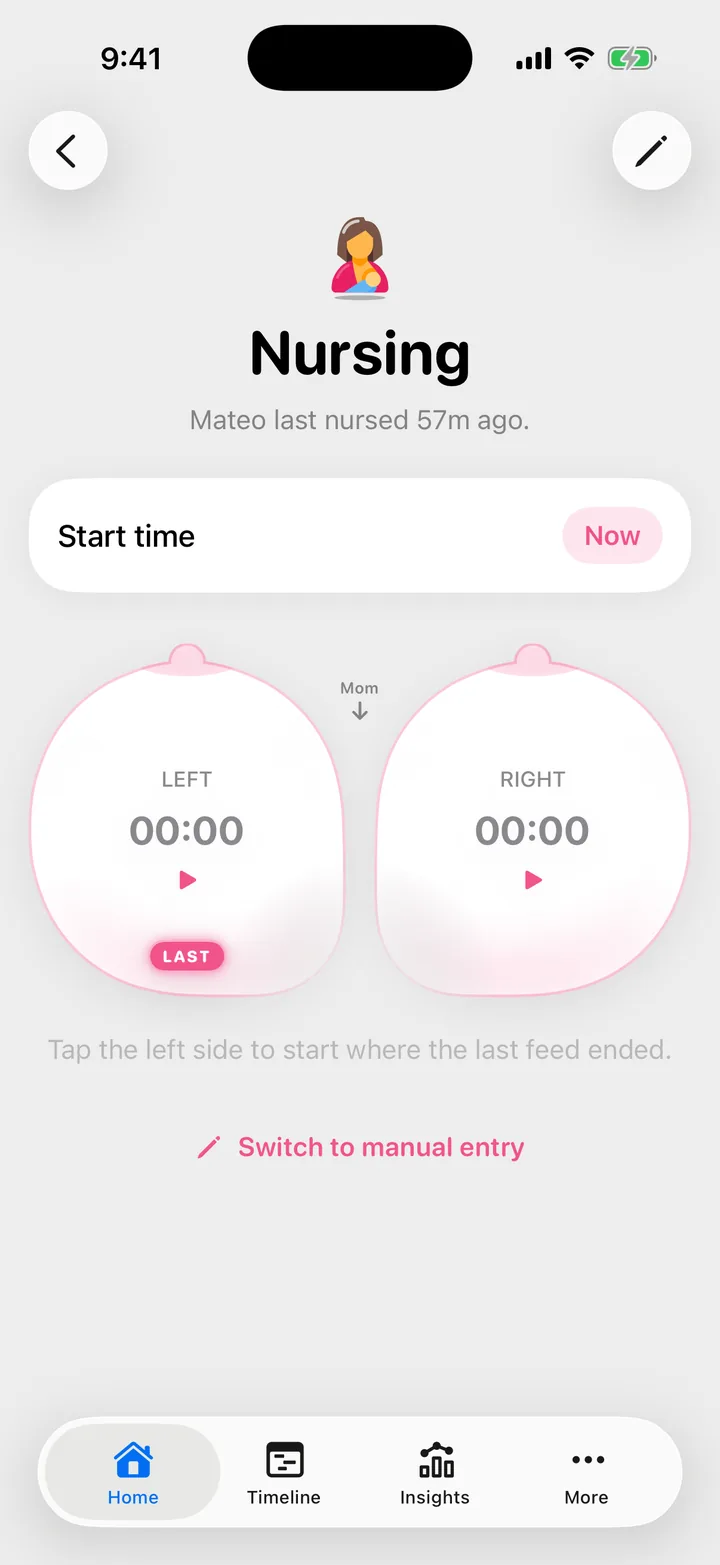
On Home, tap Nursing, then tap the breast you're feeding from. Tap the other side when you switch. When you're done, tap Stop Nursing, then Save Nursing.

On this page
Start and switch sides
- On Home, tap Nursing .
- Tap the breast you’re feeding from. Its timer starts. The side the last feed ended on is marked, so you know where to begin.
- When you switch, tap the other breast. Each side keeps its own time.
- To pause, tap the breast that’s running. Tap either side to carry on.
- When the feed is over, tap Stop Nursing, then Save Nursing.


Cami saves the feed where the clock stopped, not when you tap save, so it’s fine to put the phone down first and save later.
Started a few minutes ago?
Before you tap a breast, tap Now next to Start time and pick when the feed really began. The minutes in between count toward the first side you tap.
The timer keeps going without you
You can leave the screen or lock the phone: the timer keeps running and shows on your Lock Screen as a Live Activity. Everyone in your family sees the feed in progress, and any of them can stop it and save it. See Live Activities to choose what shows there.
Log a feed after it happened
On the Nursing screen, tap Switch to manual entry. Set how long each side lasted and when it happened, then tap Save Nursing. To fix a feed you already saved, open it from the Timeline: Edit or delete an entry.
When Cami asks a question first
- A sleep is still running. Cami asks what to do with it: End it and start or Keep it running and start.
- The last feed ended moments ago. When you save, Cami asks Combine with the last feed?: Combine makes one session of the two; Keep separate saves this one on its own.
Troubleshooting
I forgot to stop the timer
Open Nursing and tap Stop Nursing, then Save Nursing. If the feed ended long before, save it and then change the times on the entry: Edit or delete an entry.
The timer doesn't show on my Lock Screen
Live Activities may be off for Cami or for nursing. The fixes are in Live Activity not showing.

Still need help?
Write to us and a person reads it, usually within a day. From the app, Send Feedback attaches the details that help us fix it.
In Cami: More › Settings › Send Feedback